What a Blogger Email Signature Should Look Like
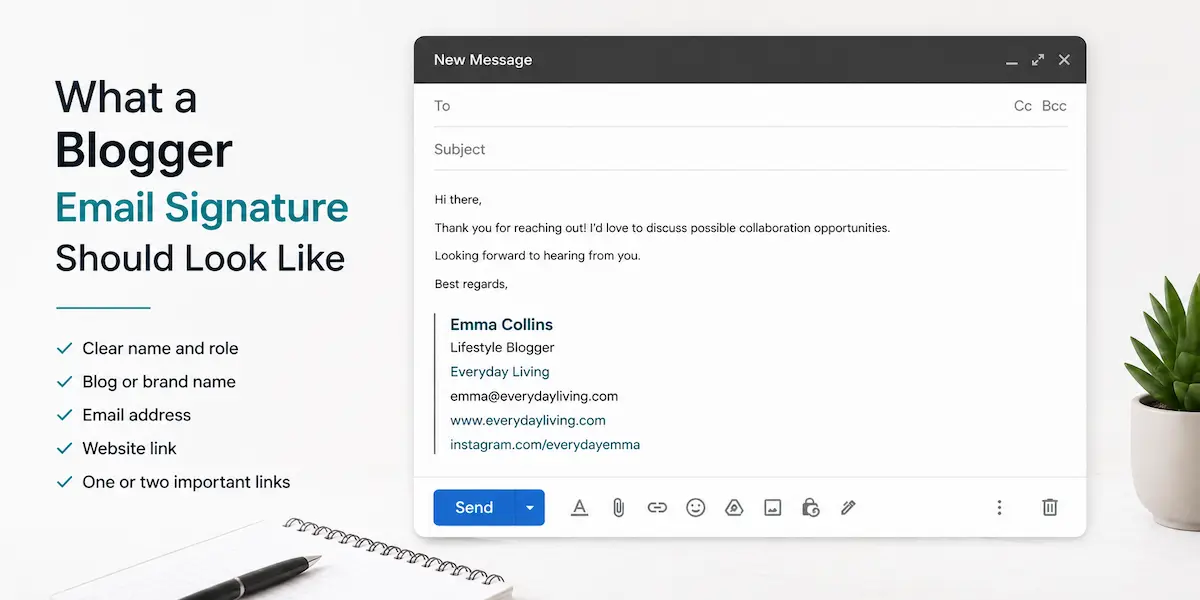
An email signature may seem secondary to many bloggers. Since it appears at the bottom of the message, the body of the email often feels more important than the signature itself.
But when you’re responding to brand inquiries, collaborating, or communicating with readers on business matters, it becomes a constant part of your communication. Over time, its details begin to shape how recipients perceive you.
Most people go in the wrong direction. Some keep it too minimal—just a name and an email address, with no real context. Others try to do too much, turning it into a mini landing page filled with multiple links, banners, and social icons.
Neither approach is practical. A good blogger email signature should do one simple thing: clearly communicate who you are and where people can find your content. No unnecessary noise. No unnecessary elements.
If you want a clean result without dealing with templates or formatting, you can create an email signature in minutes.
Why Email Signatures Matter for Bloggers
For bloggers, email is directly connected to work opportunities. Brand partnerships, sponsorships, guest posts, affiliate collaborations, and media requests frequently begin in an inbox.
A clear signature makes these interactions easier. It gives people quick access to your website, content, or social platforms without forcing them to search for additional information.
It also helps keep communication consistent. Whether you’re replying to a brand, editor, or reader, your contact details and online presence remain clear in every message.
What Should a Blogger Email Signature Include
A blogger email signature should be simple and functional. Most problems come from overcomplicating it.
Start with your name and what you do. “Travel Blogger” or “Food Blogger” is already clear enough. You don’t need to turn it into a long title.
Add your blog or brand name if it’s separate from your personal name. That helps people connect your email with your content.
Include your email, even if it feels obvious. In forwarded threads, this becomes useful.
Then choose one or two links. This is where most people get it wrong. You don’t need to include everything. If your content lives on Instagram, link Instagram. If your main platform is a blog, use your website. If you focus on video, point to YouTube.
Pick what actually matters. Everything else is optional, and most of the time unnecessary. The most common mistakes come from trying to do too much.
Adding multiple social links is one of them. Instagram, YouTube, TikTok, Pinterest, LinkedIn—all at once. It looks busy and makes it harder to decide where to click.
Banners and images are another issue. They might look fine when you set them up, but they don’t always load properly or can break in replies and forwarded messages. What looks beautiful isn’t always practical. Visual design can easily lead to technical issues in client environments.
There is also a tendency to add promotional lines like “Let’s collaborate” or “Open for partnerships.” That kind of messaging works better in the message itself, not in the signature.
Ultimately, it all stems from a single false assumption: treating the email signature as a marketing block instead of a communication tool.
Blogger Email Signature Examples
If you look at different blogger email signature examples, you’ll notice that the structure is almost always the same. What changes is what each person chooses to highlight.
Below are practical examples showing what a good email signature looks like for bloggers across different niches.
Lifestyle Blogger
Emma Collins
Lifestyle Blogger
Everyday Living
emma@everydayliving.com
www.everydayliving.com
instagram.com/everydayemma
This lifestyle blogger email signature prioritizes Instagram because that’s where the visual storytelling happens. For lifestyle content, platform choice directly affects discoverability.
Travel Blogger
Daniel Wright
Travel Blogger
Nomad Guide
daniel@nomadguide.com
www.nomadguide.com
instagram.com/nomadguide
A travel blogger email signature mirrors this pattern but emphasizes destination content. The Instagram link serves as both a portfolio and engagement channel for travel brands.
Tech Blogger
Alex Turner
Tech Blogger
FutureStack
alex@futurestack.io
www.futurestack.io
youtube.com/@futurestack
For a tech blogger email signature, YouTube makes more sense than Instagram. In-depth reviews and tutorials perform better in video format, which is why the platform link shifts accordingly.
Food Blogger
Sophia Martinez
Food Blogger
Kitchen Stories Daily
sophia@kitchenstoriesdaily.com
www.kitchenstoriesdaily.com
instagram.com/kitchenstories
A food blogger email signature returns to Instagram dominance. Recipe development and food photography rely heavily on visual presentation, making Instagram the natural choice for brand partnerships.
Personal Brand Blogger
Ryan Lee
Personal Brand Blogger
Ryan Lee
ryan@rlee.com
www.rlee.com
linkedin.com/in/ryanlee
This personal brand email signature for bloggers takes a completely different direction. LinkedIn fits the professional positioning better than Instagram, especially when targeting business audiences or speaking opportunities.
Each example demonstrates how platform selection changes based on content type and audience behavior, not arbitrary preference.
If you’re wondering how to create a blogger email signature that matches your niche, you can generate a professional signature using a straightforward tool.
Creating Professional Email Signatures for Different Creator Types
The structure outlined above also works for related roles beyond traditional blogging.
An influencer email signature might emphasize follower count or niche authority, but the foundational elements remain identical: name, specialty, primary platform, contact information.
A content creator email signature follows the same pattern whether you produce videos, podcasts, or written content. The only variable is which platform link receives priority.
The basic rule remains the same: while many people look for blogger email signature templates with complex designs, the right email signature balances minimalism and practicality rather than unnecessary complexity.
A simple blogger email signature performs better because it renders consistently across email clients, remains readable on mobile devices, and doesn’t require ongoing adjustments. Complex templates often break in forwarded messages, fail to display images, or look different depending on whether someone uses Gmail, Outlook, or Apple Mail.
A Simpler Way to Create a Blogger Email Signature
There’s a more practical approach. It combines the best practices found in modern signature tools. You create it once—without registration, without monthly subscriptions, but with a level of quality that’s hard to find in free generators today. Then you use it in your work and don’t think about it again.
By the way, we’ve prepared two dedicated guides on how to add a signature in the most commonly used mail clients today:
Conclusion
A blogger email signature doesn’t need complexity.
It just needs to support communication. Clear name, clear context, and one or two useful links.
When it’s done right, it works in the background, every time you send an email.
If you don’t want to waste time on registration or pay for subscriptions, you can create a professional email signature for bloggers in just a few minutes.