Signature.email vs MySignature: Which One Is Easier to Live With?
Most people comparing Signature.email vs MySignature are not looking for “advanced email signature infrastructure.”
They just want a signature that looks professional, works properly across email clients, and doesn’t turn into a frustrating formatting project halfway through setup. That sounds simple until you actually start using these tools.
Both services offer templates, drag-and-drop editing, social media icons, images, and personalization features. But the overall experience feels very different once you spend time inside the editor.
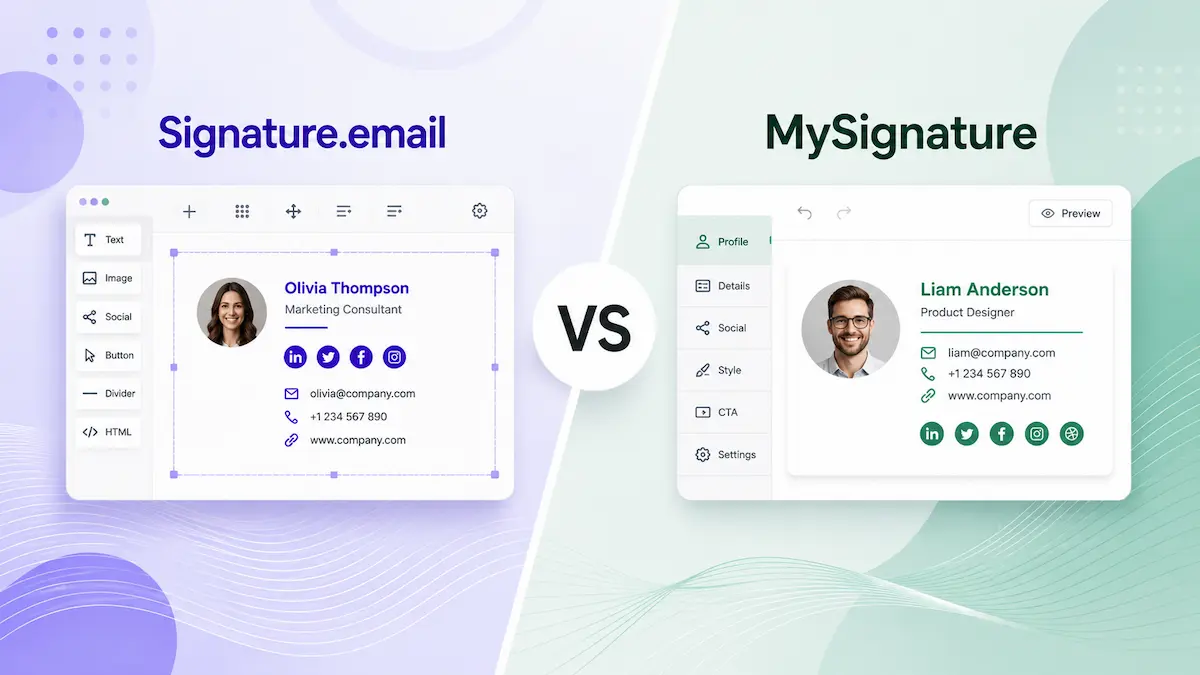
Signature.email gives users much more direct control over the layout itself. Spacing, alignment, field placement, and composition can all be adjusted more freely. The platform feels closer to building the signature manually, just without writing code.
MySignature takes a lighter approach. The editor is more structured, the setup is faster, and the platform spends less time pushing users into layout decisions they probably do not care about.
That difference affects the entire experience. Some users enjoy having more control. Others quickly realize they do not actually want to spend 30 minutes adjusting spacing inside an email signature editor.
This Signature.email vs MySignature comparison focuses on where the two tools start to differ, including workflow, customization, pricing, and long-term usability.
If you need a professional signature without complex editing systems, you can create your email signature in minutes.
Why the Editing Experience Feels So Different
The biggest difference between these platforms is not the feature list itself. The real difference is how hands-on the editing process feels.
Signature.email is built around flexibility. The editor encourages users to shape the layout more actively instead of simply filling out a preset template. You can rearrange sections, adjust spacing more precisely, and create something that feels less template-driven overall.
For users who care about visual details, that flexibility is genuinely useful.
But it also comes with a trade-off: more control creates more decisions. You start adjusting spacing. Then alignment. Then icon size. Then another small visual detail you didn’t initially plan to touch.
MySignature feels more restrained in comparison, but also easier to move through. The platform focuses more heavily on helping users finish the signature quickly instead of giving them endless layout control.
For some people, that simplicity will feel limiting. For others, it will feel like relief.
Customization vs Simplicity
A lot of comparison articles treat “more customization” as an automatic advantage. But it depends entirely on the type of user.
Signature.email is designed for people who want more control over visual structure and layout. The platform gives users enough flexibility to make the final result feel more custom and less template-based.
For designers, branding-focused freelancers, or users who care heavily about visual presentation, that can be appealing.
MySignature takes the opposite approach. The platform still offers customization, but keeps stronger boundaries around the editing process. Instead of turning the setup into a small design project, it focuses on helping users create something clean without overcomplicating the experience.
That distinction matters more than most feature comparisons suggest. Because most users are not building email signatures for fun. They are trying to finish a task and move on.
Templates and Overall Visual Style
Both platforms offer modern-looking templates, but they create different kinds of workflows.
With Signature.email, templates feel more like flexible starting points. The expectation is that users will actively modify the structure, spacing, and layout before the result feels finished.
With MySignature, many templates already feel relatively complete from the beginning. Users still customize details, but the platform requires less manual refinement to arrive at a polished result.
That difference becomes more noticeable over time. A highly flexible editor can feel impressive during setup, but not everyone wants to revisit layout controls every time they update a phone number, social link, or company information later.
Signature.email vs MySignature Pricing
When comparing MySignature vs Signature.email pricing, the pricing structures differ significantly.
Signature.email separates pricing between individual users and teams instead of placing everyone inside the same subscription model.
For solo professionals, the platform offers a one-time $19 payment that includes a lifetime personal signature with unlimited fields and images. That immediately makes the pricing structure feel different from most recurring subscription-based tools in this category.
For companies, the model shifts to monthly team pricing. Plans start at $19/month for teams with up to 50 employees, increase to $29/month for up to 150 employees, and reach $39/month for up to 300 employees. Instead of charging per user, the platform scales pricing by employee tiers.
MySignature is positioned as the more affordable option. Entry-level plans typically fall into the $4–$8/month range depending on billing configuration and selected features, making the platform more accessible for freelancers and smaller businesses looking for lower recurring costs.
A Simpler Alternative to Both Platforms
After spending time with platforms like Signature.email and MySignature, many users end up arriving at the same conclusion: creating an email signature should not require this much involvement.
One platform gives users more control. The other removes some of the friction. But both still keep users inside subscription-based ecosystems built around editors, templates, dashboards, and ongoing customization.
That works well for teams managing branding at scale or users who regularly redesign signatures. But for freelancers, consultants, creators, and small businesses, the process often becomes heavier than necessary.
Most people are not trying to build a miniature website inside an email footer.
They simply want a signature that:
- looks clean,
- renders properly across email clients,
- stays consistent on mobile,
- and takes minutes instead of repeated adjustments.
That is why simpler generators continue making sense for a large part of the market.
Instead of spending time inside complex editors, many users eventually move toward a more lightweight workflow: generate a clean signature once, copy the HTML, add it to the email client, and stop thinking about it altogether.
If you need a clean, professional signature without subscriptions or complex platforms, you can create your email signature in under 5 minutes and use it permanently across all email clients.
Final Thoughts
This Signature.email comparison with MySignature reveals two very different editing experiences.
Signature.email focuses on flexibility and layout control. MySignature prioritizes speed, simplicity, and reducing friction during setup.
Neither approach is objectively better. Some users genuinely want deeper control over how their signatures are built. Others quickly realize they would rather spend less time inside an editor altogether.
And for many people, that ends up being the real deciding factor.