Professional Email Signature Guide for Nurses & Nurse Practitioners
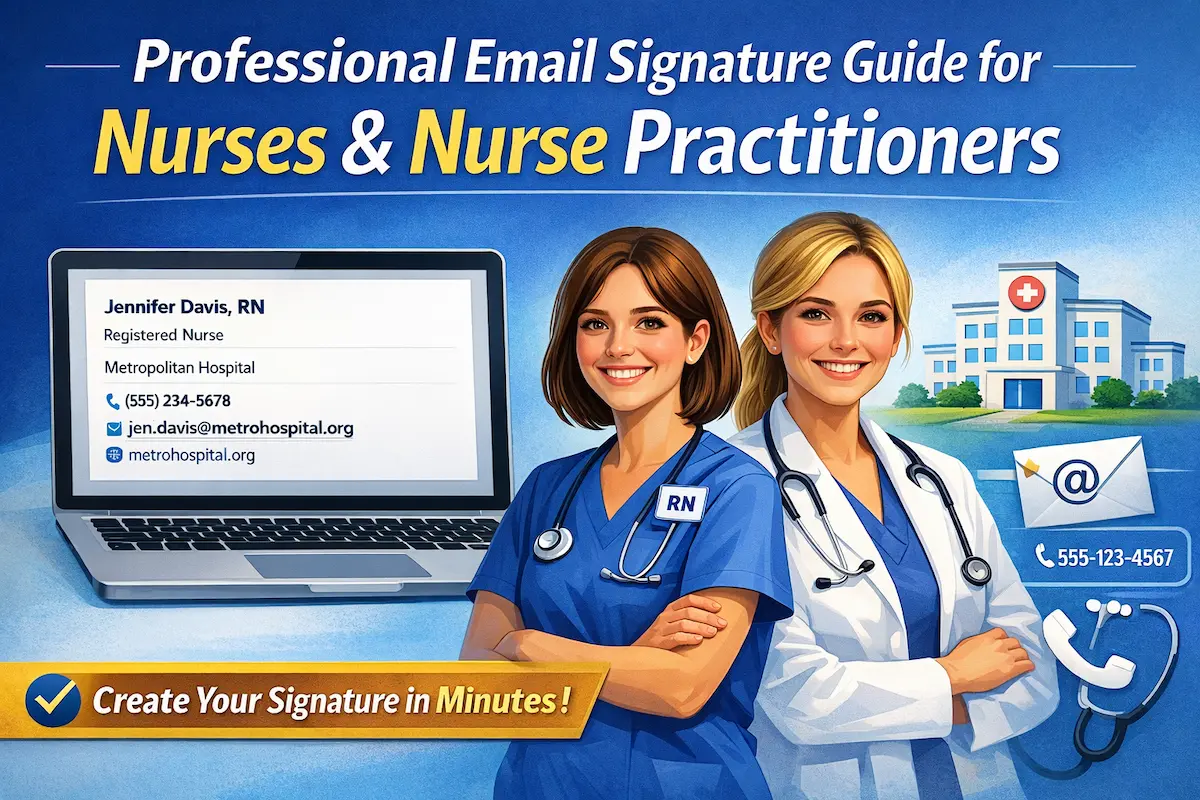
Every shift brings dozens of emails—care updates to physicians, medication clarifications, family communications, interdisciplinary coordination. At the bottom of each message sits your nurse email signature. Six lines that identify who you are, what credentials you hold, and how people can reach you.
A well-designed registered nurse email signature or nurse practitioner email signature communicates competence before anyone reads your message.
This guide shows you what works: credential ordering that professionals recognize, institutional affiliations that build credibility, formatting that displays correctly on phones and desktops.
Create your professional nurse signature in under 5 minutes.
What Makes an Effective Nurse Email Signature
A professional nurse email signature serves two critical functions: providing contact methods patients and healthcare teams need while communicating your credentials and institutional affiliation.
Essential Elements for Nursing Professionals
Every email signature should contain these essential components:
Full Name with Credentials:
Registered Nurses: Jane Smith, RN or Jane Smith, RN, BSN. Include license (RN) immediately after name, followed by degree (BSN, MSN) if applicable.
Nurse Practitioners: John Doe, NP-BC or John Doe, FNP-BC, APRN. Advanced practice credentials demonstrate provider-level licensure and specialty board certification.
Title or Specialty:
“Registered Nurse” for RN positions. Clear specialty designation helps healthcare teams understand your clinical focus and route appropriate consultations.
“Family Nurse Practitioner” for advanced practice roles. Provider titles clarify scope of practice and prescriptive authority.
Hospital/Clinic/Practice Affiliation:
Hospital name, clinic, or healthcare facility. Institutional affiliation provides context for your clinical setting, establishes credibility through recognized healthcare brands, and helps patients locate facilities for appointments.
Phone Number:
Direct line, nursing station, or clinic number. Essential for shift handoffs, physician callbacks, and patient family communications.
Professional Email Address:
Institutional email connects you to secure hospital systems, encrypted patient communication platforms, and official healthcare networks. Required for HIPAA-compliant messaging.
Hospital/Clinic Website:
Institutional website URL. Provides patients with resources like appointment scheduling, visiting hours, and facility directions.
Optional elements (include only when relevant):
- Advanced certifications (CCRN, CEN, etc.) when directly applicable to current role
- State license number (if required by employer or state board)
HIPAA Compliance Considerations
HIPAA requirements apply to all healthcare professionals, including nurses and nurse practitioners. Email platforms must provide proper encryption and security controls for discussions involving patient information, clinical coordination, and treatment plans.
Important: HIPAA compliance disclaimers are NOT included in personal email signature blocks. These belong in organizational email system settings, not individual email signature formats. This is a common mistake that breaks email signatures and undermines professional appearance.
Photos and Headshots
Clinical practice focuses on nursing credentials, institutional affiliation, and professional expertise rather than visual presentation. Different email clients (Outlook, Gmail, Apple Mail) render embedded images differently, causing formatting problems that undermine professional communications.
Moreover, image files trigger spam filters that route messages to junk folders—problematic when time-sensitive clinical communications or patient coordination needs reliable delivery.
Recommendation: Use text-only HTML signatures for all communications. This is the most practical type of signature, ensuring consistent display across email clients. Professional photos belong on hospital websites, LinkedIn profiles, and facility directories where visual presentation serves legitimate purposes, not in email signature blocks.
Mobile Optimization
Your registered nurse email signature must remain readable on small screens without horizontal scrolling or formatting problems. Text-based HTML formatting adapts automatically to narrow mobile screens. When signatures use simple text without tables, images, or complex HTML, content reflows naturally to fit smartphone displays. Contact information stays visible, phone numbers become tap-to-call links, email addresses work as tap-to-email, and website URLs open directly in mobile browsers. Simple text-focused HTML structure ensures your RN email signature displays correctly everywhere—desktop, tablet, and smartphone.
Nurse Email Signature Examples
These nurse signature email examples demonstrate proper email signature formatting, clearly presenting professional credentials and healthcare facility affiliations.
Example 1: Registered Nurse (RN)
Jennifer Davis, RN
Registered Nurse
Metropolitan Hospital
(555) 234-5678
jennifer.davis@metrohospital.org
metrohospital.org
Why it works: RN signature email with proper credential formatting. “RN” after the name shows licensure. Title clarifies professional role for patients and healthcare teams. Hospital institutional domain ensures proper professional communication channels. Simple vertical format provides all essential contact information without unnecessary complexity.
Example 2: Registered Nurse with BSN
Sarah Chen, RN, BSN
Pediatric Registered Nurse
Children's Hospital
(555) 432-8765
sarah.chen@childrenshospital.org
childrenshospital.org/pediatrics
Why it works: This RN BSN email signature shows both licensure (RN) and education (BSN) in correct order—license credential first, then degree. “Pediatric” specialty designation indicates focus area within nursing practice. Children’s Hospital affiliation communicates specialized pediatric care settings. Department-specific URL helpful for patients and referring providers seeking pediatric services.
Example 3: Critical Care Registered Nurse
Michael Rodriguez, RN, BSN, CCRN
Critical Care Registered Nurse
University Medical Center - ICU
(555) 789-2341
m.rodriguez@univmedcenter.edu
univmedcenter.edu
Why it works: Proper credential order: RN (license first), BSN (degree second), CCRN (critical care certification third). ICU designation in the affiliation line shows specific unit assignment—helpful for coordination with physicians and specialists. University medical center .edu domain adds academic teaching hospital context. This registered nurse email signature template demonstrates advanced specialty training and certification.
Example 4: Family Nurse Practitioner
Amanda Foster, FNP-BC
Family Nurse Practitioner
Riverside Primary Care Clinic
(555) 567-8901
amanda.foster@riversideclinic.com
riversideclinic.com
Why it works: This nurse practitioner email signature uses FNP-BC (Family Nurse Practitioner - Board Certified) showing advanced practice credentials and specialty board certification. Title clarifies provider role—important distinction from RN for patients and referring providers. Clinic affiliation indicates primary care practice setting. Institutional email ensures proper professional communication infrastructure.
Example 5: Acute Care Nurse Practitioner
David Morrison, APRN, ACNP-BC
Acute Care Nurse Practitioner
Heart & Vascular Institute, Memorial Hospital
(555) 876-5432
d.morrison@memorialhospital.org
memorialhospital.org/cardiology
Why it works: APRN (Advanced Practice Registered Nurse) with ACNP-BC (Acute Care Nurse Practitioner - Board Certified) credentials demonstrate advanced practice licensure and specialty certification. Specialized institute affiliation (Heart & Vascular Institute) indicates cardiovascular focus area. Hospital-based NP signature format appropriate for inpatient acute care settings. This NP email signature clearly communicates advanced practice roles and specialty expertise.
Example 6: Clinical Nurse Specialist
Lisa Thompson, RN, MSN
Clinical Nurse Specialist - Oncology
Cancer Treatment Center
(555) 654-3210
lisa.thompson@cancercenter.org
cancercenter.org
Why it works: RN, MSN credentials show advanced education (Master’s degree). “Clinical Nurse Specialist” with oncology specialty designation indicates advanced practice role in cancer care. Specialized cancer center affiliation establishes clinical expertise setting.
Example 7: Compact Signature (Inline)
Mia Park, RN | Pediatric Nurse at Children's Medical Center
(555) 234-9876
mia.park@childrensmedical.org
childrensmedical.org
Why it works: Compact email signature combining credentials and specialty in one line. Saves vertical space while maintaining credential clarity—useful for nurses managing high-volume email correspondence.
Generate these formats instantly with a nurse email signature generator—properly formatted with correct credential ordering in 5 minutes.
Email Signature Generator for Nurses
A nurse email signature generator eliminates formatting complexity while ensuring proper nursing credential presentation.
Why Use a Generator for Professionals
Professional appearance in every patient email, healthcare team coordination, physician collaboration, and administrative correspondence builds credibility across all professional touchpoints.
Automatic formatting ensures correct RN/BSN/MSN credential order, appropriate comma usage with certifications (CCRN, CEN), and proper NP credential sequences (FNP-BC, APRN). Eliminates common errors like incorrect periods in credentials or reversed credential ordering that undermine professional presentation.
Easy updates when changing positions. Change hospital affiliations instantly when moving to new healthcare facilities—critical during job transitions when you need updated signatures immediately for communications with new teams and patients. Update credentials as earned (BSN → MSN, new certifications like CCRN) without reformatting entire signature blocks. Modify contact information (new unit phone extensions, updated email addresses) without technical troubleshooting.
Automatically adapts to smartphones where physicians, colleagues, and patients read appointment confirmations, shift coordination, and clinical updates. Maintains readability across all devices without manual testing across multiple platforms.
Time savings for busy professionals. Five minutes versus hours of manual HTML formatting and cross-platform testing. No technical knowledge required—focus clinical expertise on patient care, not signature debugging.
How to Generate Your Signature
Creating your email signature through a generator follows three straightforward steps optimized for professionals:
Step 1: Input Professional Information
Most signature generators use standard field labels like “Job Title” or “Company” rather than nursing-specific terminology. Don’t worry—just enter your information following nurse email signature template patterns from examples shown above. The preview will show your credentials displayed correctly even though field labels don’t specifically say “nursing credentials.”
Step 2: Select Format Options
Choose layout based on your communication needs and personal preference. Vertical format provides maximum clarity with each element on a separate line. Inline format offers compact presentation combining specialty and affiliation in a single line. Saves vertical space while maintaining professional presentation. Both formats maintain text-only HTML for reliable rendering across email platforms and healthcare systems.
Step 3: Generate Clean Code
Receive professionally formatted signature code ready for installation:
Professional credential formatting with correct spacing and punctuation following industry standards.
Mobile-responsive design that adapts to all devices automatically—smartphones, tablets, desktop computers.
Cross-platform compatibility guaranteed for Gmail, Outlook, Apple Mail, and hospital email systems. Each nursing email signature template follows healthcare communication best practices.
Installing Across Platforms
After generation, deploy your registered nurse email signature across all communication systems:
For Gmail: Reference this Gmail signature setup guide for complete installation instructions covering Gmail web interface and mobile app configuration.
For Outlook: Follow the Outlook signature setup guide addressing Outlook desktop application, Outlook web access, and Office 365 configurations.
Quick Summary
Effective email signature design balances professional credential presentation with technical reliability for healthcare communications.
Essential elements for every signature:
- Full name with credentials (RN, BSN, MSN, NP-BC, FNP-BC)
- Title or specialty designation
- Hospital/clinic/practice affiliation
- Professional contact information (phone, institutional email)
- Healthcare facility website
Critical principles:
Institutional email required. Personal Gmail or Yahoo addresses signal an unprofessional approach to clinical communication.
Text-only HTML format ensures reliable delivery. Simple signatures without photos prevent spam filtering and ensure consistent display across all email platforms.
Mobile optimization ensures readability. Text-based HTML formatting adapts automatically to smartphone screens where healthcare teams and patients read clinical correspondence.
HIPAA compliance:
Email platforms must provide encryption and security controls for patient information discussions. Compliance disclaimers belong in system settings, not personal signatures.
Implementation:
Nurse email signature generator creates professionally formatted signatures with correct credential ordering in 5 minutes. Enter your information following email signature formats from examples, and preview confirms correct display before deployment.
Impact:
A complete professional nurse email signature is standard practice in healthcare communication. Credentials, institutional affiliation, and contact information establish your role and accessibility in every message.
Create your professional nurse signature in under 5 minutes.