A Practical Guide to Dentist Email Signatures
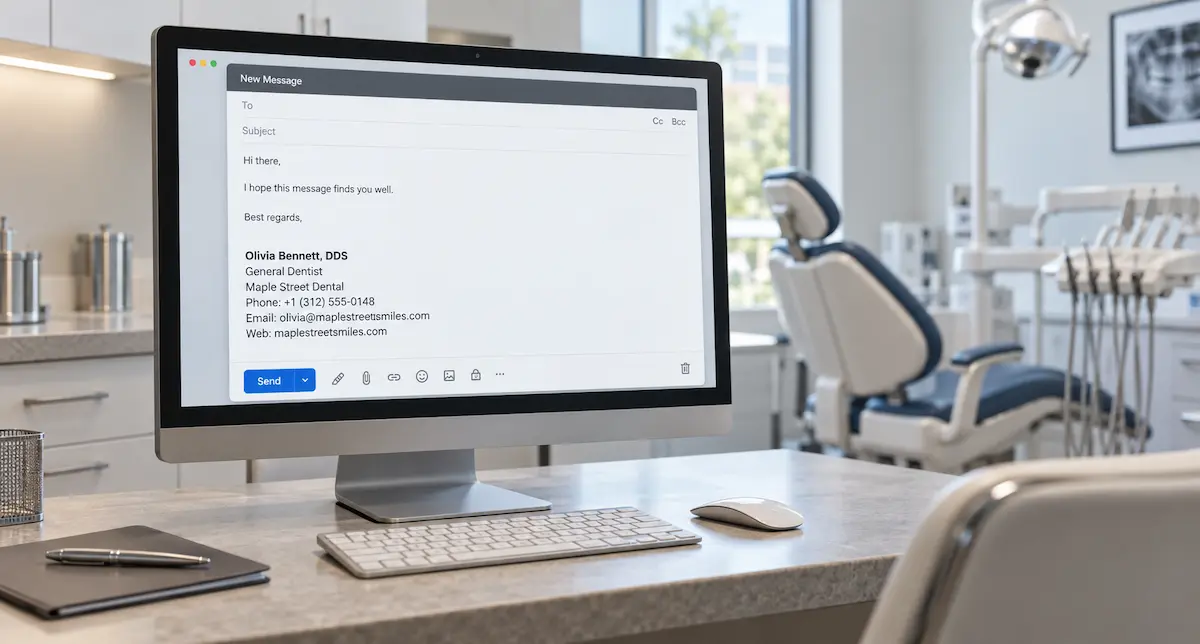
A dental practice might email a patient about an appointment, answer a question about an office visit, or write to a dentist who referred someone for treatment. The signature at the end of that message should make it clear who sent it and how to reach the right person.
A dentist email signature doesn’t need much to do that: a name, a role, useful contact details, and one relevant link. The examples below show how those details can change depending on the kind of emails you send.
Once you’ve settled on yours, you can create your dentist email signature.
Choose details that fit the conversation
Start with the basics: the dentist’s name, role, and practice. Include a professional designation such as DDS or DMD if that’s how the dentist normally signs professional correspondence. At a practice with several locations, the role line can also identify the office. If patients need to know exactly where to go, the practice address can be useful as well.
Use contact details that make sense for the conversation. If patients are writing about visits to a particular branch, that office’s number is more useful than a general number. A shared scheduling inbox, on the other hand, may be the right address for someone who coordinates appointments with a team.
The same goes for the final link. The practice website works well for general patient emails, while a booking page makes more sense when scheduling is usually the next step. If a dentist regularly communicates with referring colleagues, a referral page may be more useful. A dental email signature only needs one link that suits the sender’s usual correspondence.
Dentist email signature examples
These dentist email signature examples use fictional names and practices. Each keeps the same basic layout, but the contact details and link serve a different purpose.
General dentist: routine patient correspondence
Olivia Bennett, DDS
General Dentist
Maple Street Dental
+1 (312) 555-0148
olivia@maplestreetsmiles.com
maplestreetsmiles.com
Olivia emails patients for different reasons, so there’s no need for a more specific link. The practice website works well here.
Orthodontist: correspondence with referring colleagues
Daniel Kim, DMD
Orthodontist
Northline Orthodontics
+1 (617) 555-0182
daniel@northlineortho.com
northlineortho.com/referrals
Daniel regularly communicates with referring dentists, so linking directly to the referral page makes sense. His specialty is clear from the second line.
Dentist: appointment-related emails
Priya Shah, DDS
Dentist
Oakview Family Dentistry
+1 (415) 555-0136
priya@oakviewfamilydental.com
oakviewfamilydental.com/book
Priya’s patients can go straight to the booking page. They still have a phone number and email address if they need to contact the practice another way.
Dentist: one branch of a larger practice
Marcus Reed, DMD
Dentist, Westside Office
Brookfield Dental Group
+1 (206) 555-0194
marcus@brookfielddentalgroup.com
brookfielddentalgroup.com/westside
Marcus works at the Westside office, so the signature names that branch and links to its page. The phone number should reach that office too.
Dentist email signature template
Use this dentist email signature template as a starting point:
[Name and professional designation]
[Role or specialty]
[Practice name]
[Relevant phone number]
[Work email address]
[Practice website or relevant page]
The format can stay the same even when the last line changes. Use the homepage for general correspondence, or link directly to booking, referrals, or an office page when that’s where recipients are likely to go next.
Email signatures across a dental practice
A dental practice email signature should make it easy to recognize both the sender and the practice. That doesn’t mean everyone needs the same phone number, inbox, or link. Keep the format consistent, but choose the details that fit each person’s role.
For example, a dental office email signature for someone who handles scheduling might look like this:
Elena Torres
Patient Coordinator
Harbor Point Dental
+1 (305) 555-0167
scheduling@harborpointdental.com
harborpointdental.com/appointments
A scheduling inbox and appointment link fit Elena’s work. A dentist at the same practice might use a personal work address and link to a different page.
Create and test your signature
Once you know what to include, create your dentist email signature and add it to your email client.
Then send yourself a test message and check it on desktop and mobile. Make sure the name and role are clear, and check that the phone number and email address are clickable. If you include a booking, referral, or office link, make sure it opens the right page. Keep the contact details as selectable text so people can use them directly.